Feature tour
Every screen, before you commit to any of them.
Most clinic software is bought from a feature list and understood weeks later. This page shows the actual screens your reception will work in all day, with the numbers of a real month behind them.
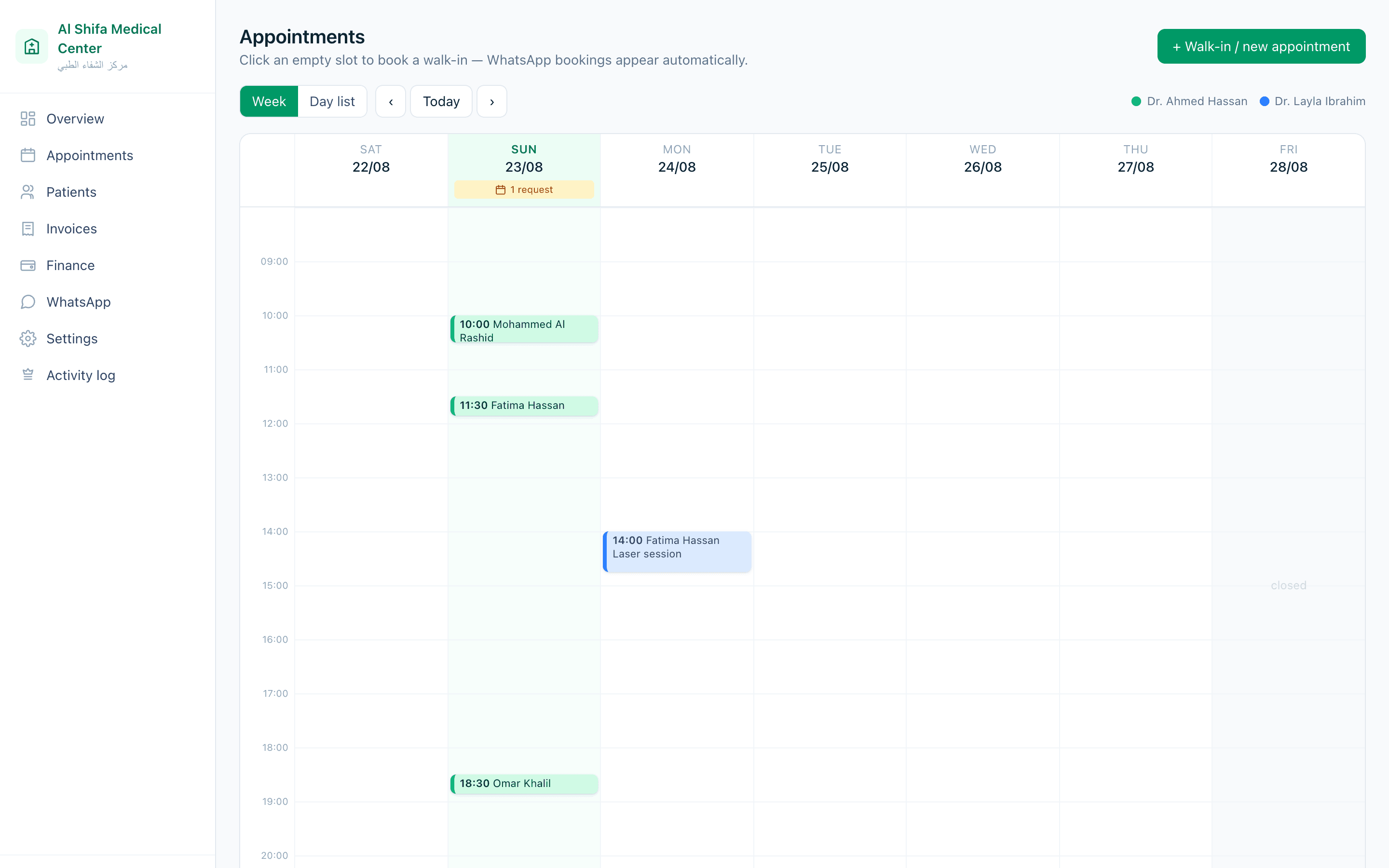
The calendar
One calendar, coloured by doctor.
The screen reception has open all day. Every booking lands here whether it came from your booking page, a phone call, or a walk-in at the desk.
- Click an empty slot to book a walk-in without leaving the page
- Doctor leave and closed hours are drawn in, so an unbookable slot cannot be booked
- Double booking is refused by the database, not by a warning someone can click past
- Requests from your booking page wait here for approval before they appear
Patient records
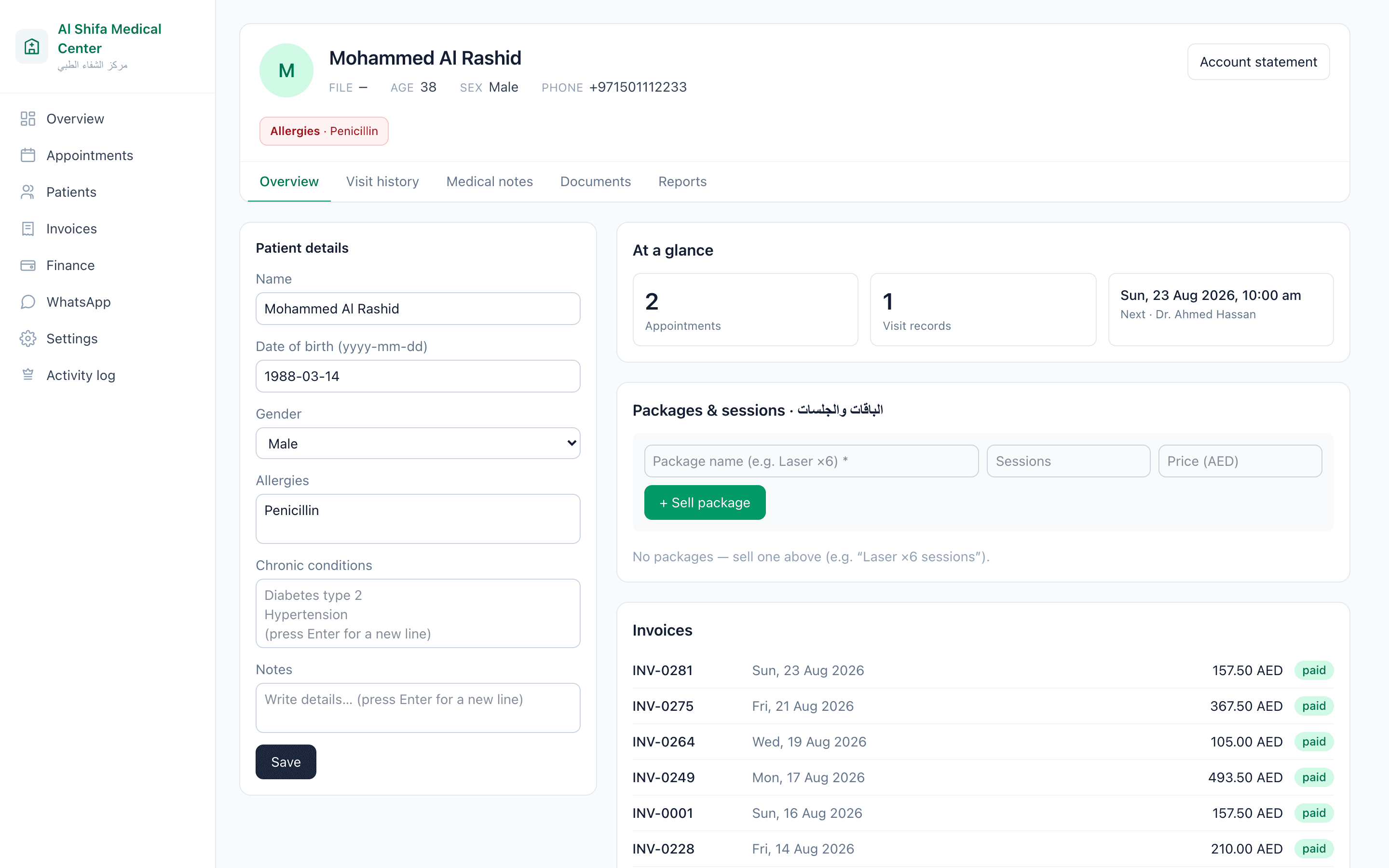
A numbered file for everyone who books.
History, allergies, chronic conditions, clinical notes, packages and every invoice — on one screen, with access decided by role.
- Allergies and conditions surface at the top of the file, not three clicks in
- Clinical notes keep their previous versions; an amendment says so on the record
- Reception can be given the file without being given the medical tab
- Nothing in the system deletes a patient or a visit — the most common front-desk mistake is impossible
Invoicing
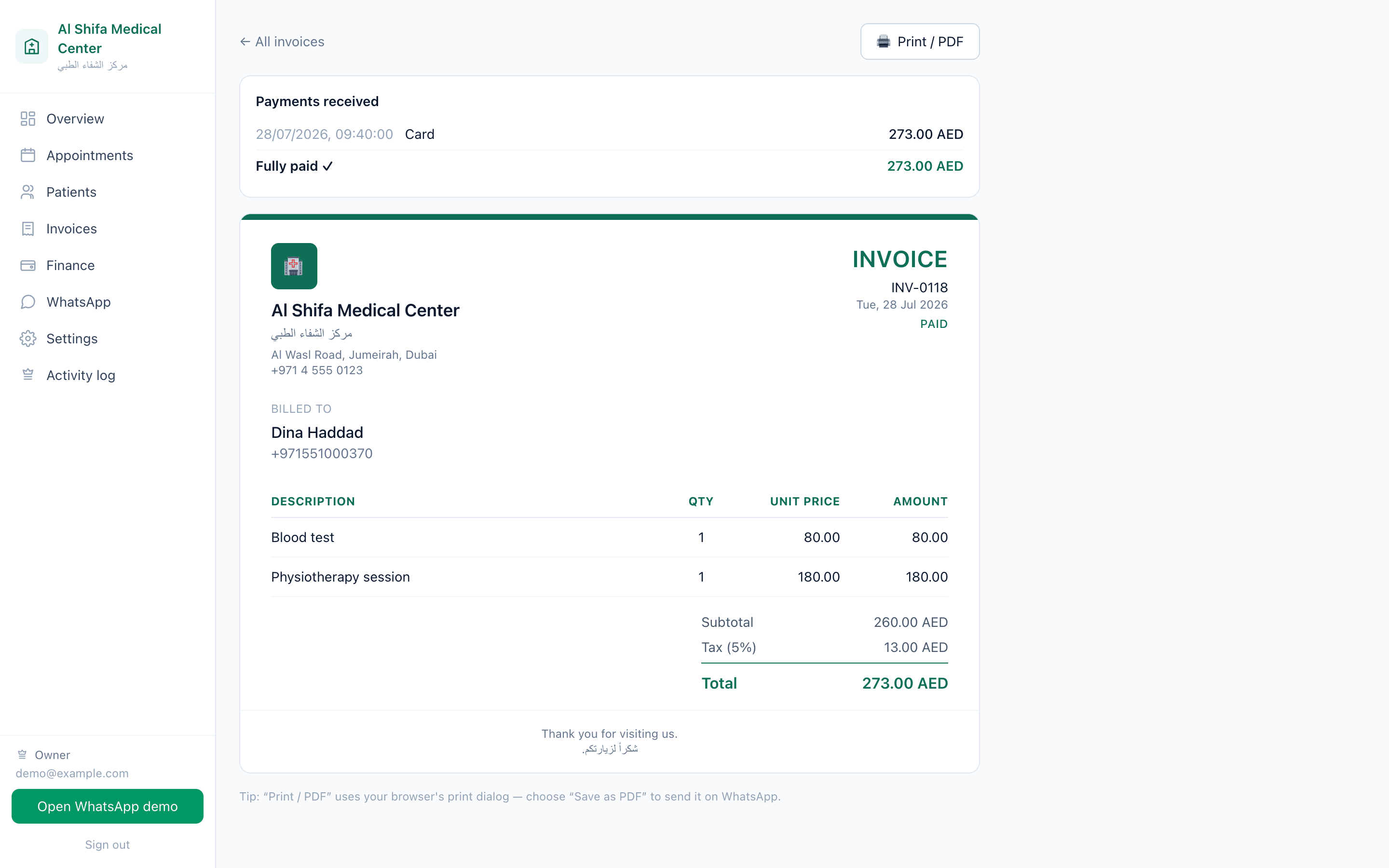
A branded invoice, and the payments against it.
Issue from the appointment, take a partial payment, and the balance follows the patient rather than a note on a desk.
- Line items, tax and totals, printed with your clinic's name and logo
- Partial payments recorded one at a time, each with its method and date
- Print or save as PDF to send to the patient
- Balances roll up into one place so nobody has to remember who still owes
Money
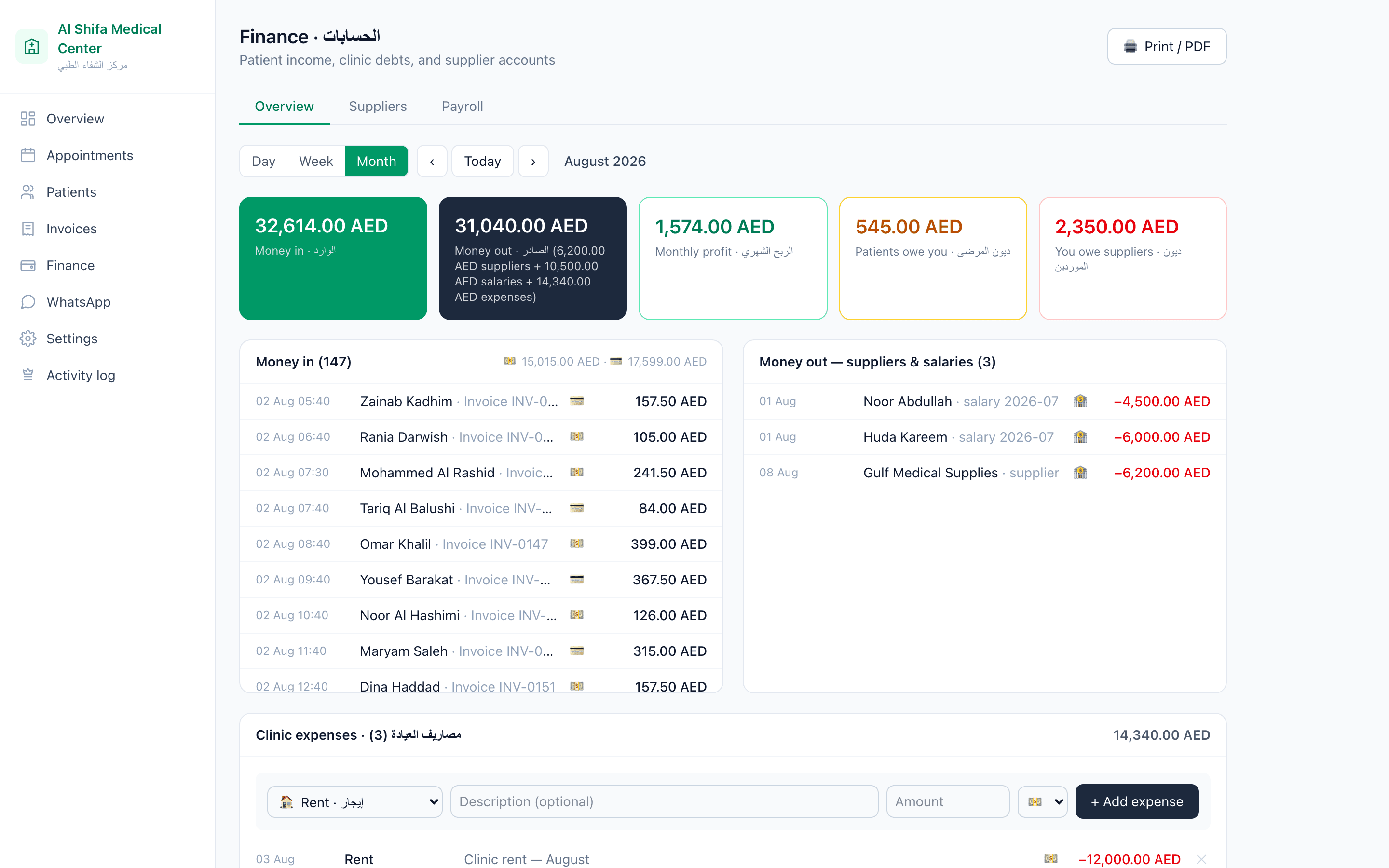
What came in, what went out, what is left.
Not a cash drawer and not an accounting package — the day, week and month a clinic owner actually asks about.
- Money in by day, week or month, split by how it was paid
- Expenses, supplier accounts and staff payroll in the same view
- Patient balances and supplier balances side by side
- The profit line is hidden from staff who should not see it
Bilingual
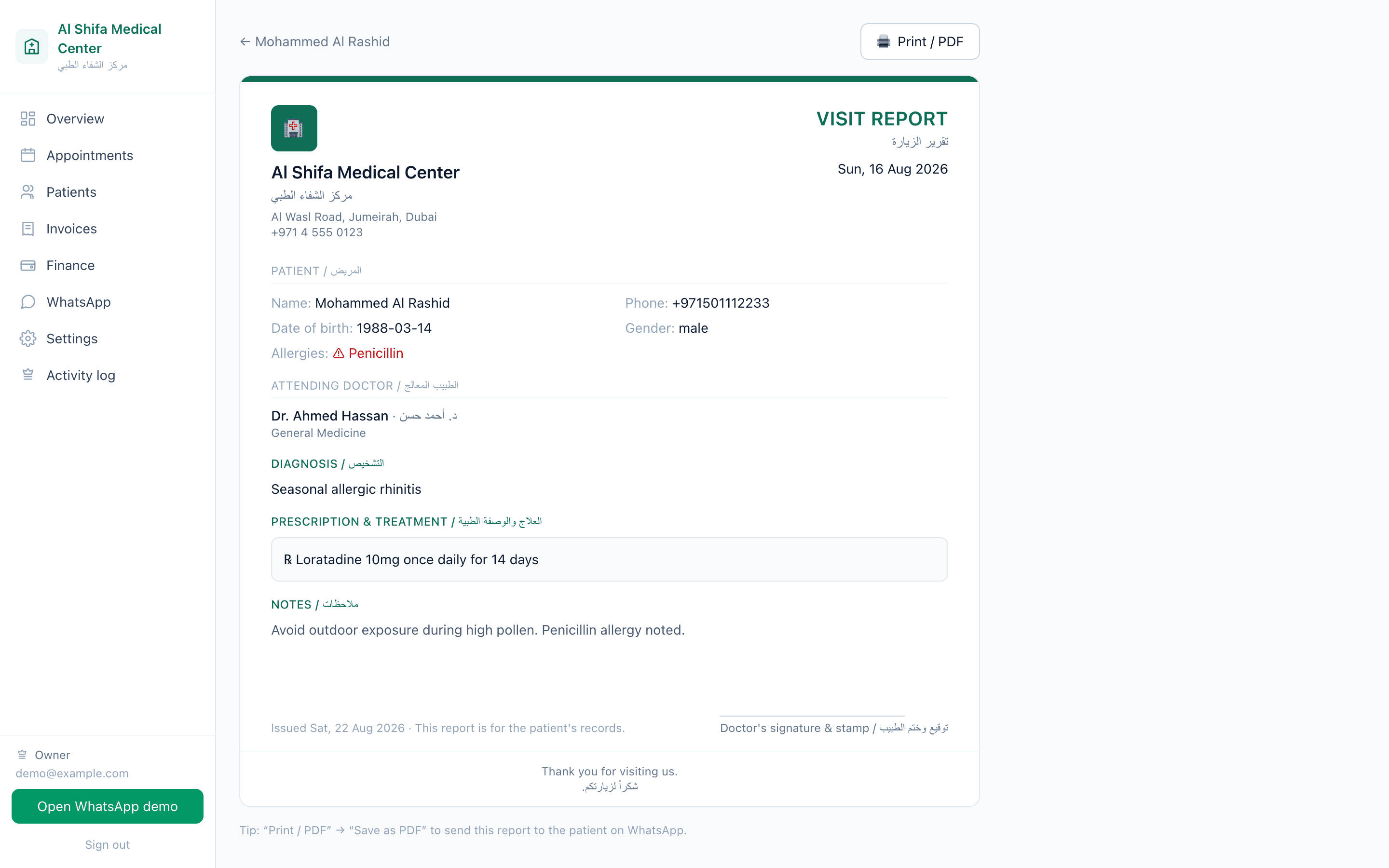
The documents a patient takes home.
Every label on a visit report is written in both languages — diagnosis, treatment, prescription — because the patient reads Arabic even when your team works in English.
- Right-to-left designed, not a mirrored English layout
- The doctor's name in both scripts
- Printable, or saved as a PDF to send
- The booking page your patients use is bilingual too
See it with your own services in it.
A walkthrough takes twenty minutes and uses your own doctors, services and hours rather than a demo clinic.
Contact
Tell us what you are trying to build.
A short description of the business and the problem is enough to start. We answer every serious enquiry within one working day.
- info@mindixpro.com
- Studios
- Baghdad
- Hours
- Sunday – Thursday, 09:00 – 18:00 GST